01
Original photos
Keep the real room in view
Every renovation concept stays beside the listing photo it came from, so buyers can compare the two.
Renovation tools for property agents
Upload the listing photos, create renovation options and share the ones you approve.
12B The Sail
Primary bedroom
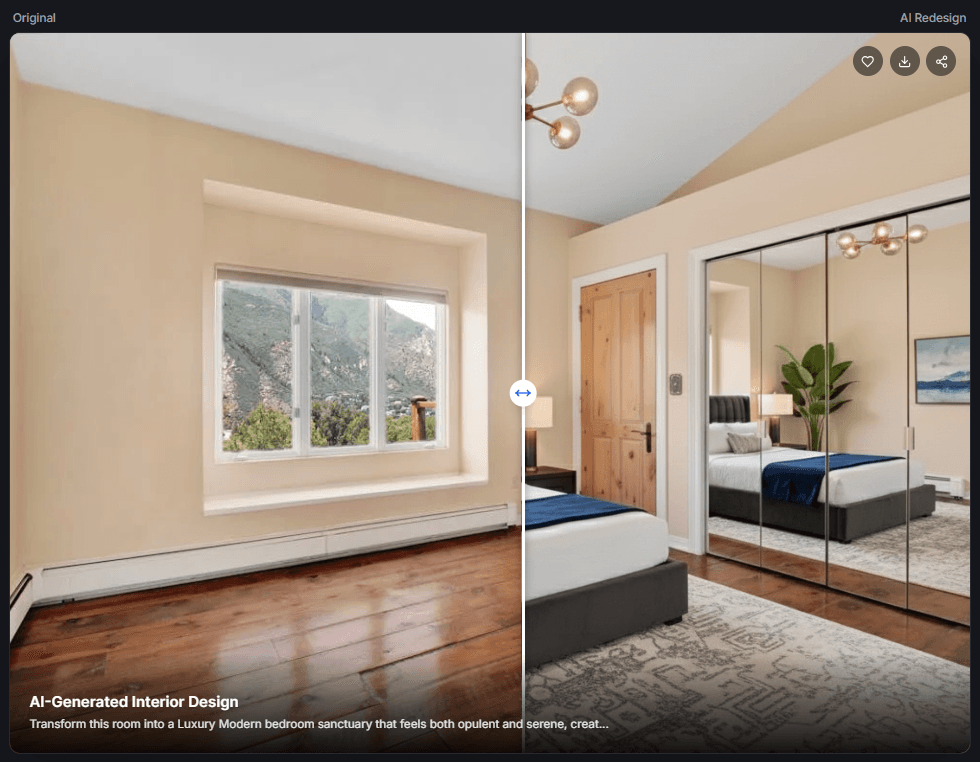
Before and after
Compare the current room with the renovation concept.
Buyers can always see the listing photo beside the renovation concept.
Nothing is shared until an agent has reviewed and selected it.
The buyer sees the property, the ideas and a clear way to contact you.
One place for each property
Keep the photos, renovation brief, approved concepts, report and buyer links together.
Original photos
Every renovation concept stays beside the listing photo it came from, so buyers can compare the two.
Agent review
Try different directions, reject weak results and approve only the concepts you would show a client.
Private sharing
Share approved comparisons, short videos and your contact details in a link you can replace or revoke.
Three steps
Upload photos, create concepts, review them and share a private presentation.
Concepts are illustrative images, not renovation plans, quotes or guarantees.
Create the property, upload the useful room photos and add a short renovation brief.
Generate a few directions, compare each one with the original and keep the strongest result.
Check the report, choose what the buyer will see and send a private link when it is ready.
Your next listing